Overview
Overview
The Anycubic Kobra 3 Max advertises itself as a fast, large-format printer for enthusiasts, makers, and professionals alike. In practice, however, our testing of 6 individual units revealed wide variability in quality, firmware instability, and hardware limitations that sharply contrast its promises.
This review combines performance data, technical faults, video references, user quotes, field reports, and direct comparisons to competing machines.
Print Performance Analysis
For short-duration prints and low build volume utilization, the printer can be excellent. With correct first-layer calibration, surface quality and speed are competitive.
“When it works, and if the build volume is small, the printer actually does a great job. In the video below, we see the Kobra 3 Max printing one of our custom designs, and it performs quite well under these conditions.”
Unfortunately, this is the exception. Performance deteriorates significantly on complex, multi-filament, or long-duration prints:
| Job Type | Performance Summary | Common Issues |
|---|---|---|
| Small models (< 10 hrs) | Reliable and clean results | None |
| Multi-day prints | Poor reliability, frequent print failures | Sensor faults, restarts, filament errors |
| Tall models (>200mm Z) | Severe Z-banding and mechanical instability | Warping, artifacts, missed layers |
| Multi-filament changes | Inconsistent swap reliability | Clogs, jams, incomplete swaps |
Z-Banding & Excessive Heat Compensation
One of the Kobra 3 Max’s most significant flaws is severe Z-banding on tall prints. Rather than addressing the mechanical root causes (lightweight gantry, poor tensioning), Anycubic attempted to mask these issues with aggressive thermal compensation.
| Deficiency | Attempted Solution | Real-World Outcome |
| Inconsistent Z-alignment | Excessively high bed temperatures | Warping, elephant foot, bonding inconsistencies |
| Weak frame vibrations | None | Visible artifacts on vertical walls |
This strategy fails in practice and often makes results worse. Lower layers warp, prints stick too aggressively, and detail is sacrificed.
Firmware Disaster: Sensor Brick Risk
Firmware update 2.4.6.5 introduces one of the most serious problems: full loss of Z-probe functionality on many hardware variants. This affects auto bed leveling—a core advertised feature.
Firmware Version |
Sensor Outcome |
User Impact |
| v2.4.6.5 | Sensor nonfunctional (multiple units) | Bed leveling fails, unprintable without hacks |
| Stock firmware | Works temporarily | Degrades over time, prone to failure |
[Video: https://www.youtube.com/watch?v=bepH2MJu6Ek]See sensor failure in the video below.
Component Access & Maintenance
Modularity is limited despite claims. Users can replace the nozzle, but any deeper service is obstructed by lack of documentation and proprietary parts.
Component |
Replaceable by User? |
Notes |
| Nozzle |  Yes Yes |
Standard nozzle replacement supported |
| Heatbreak/Heater |  No No |
No accessible path for disassembly or replacement |
| Sensor | No |
Firmware locks out many replacements, no compatibility list |
| Control board | No |
Proprietary layout, no official replacement available |
Parts are hard to source and support is slow—weeks for common components.
3 | Print-Quality Field Notes
Observation |
Description |
| Layer shifts | Z-axis wobble and missed steps visible in multi-day jobs |
| Sensor errors | Z-probe fails mid-print, disabling leveling mid-job |
| Overheat symptoms | Lower layers over-melt from excessive bed temp workaround |
| Infill collapse | High-speed infill destabilizes upper walls above 200mm |
4 | What Real Users Say
“Tightened the Y pulley and it still slipped—had to real-convert.” — reddit.com/r/FixMyPrint
“Over 75°C is useless half an hour on 110V, I never get over 70°C.” — reddit.com/r/3Dprinting
These comments reflect broader frustrations from users who encountered the same hardware inconsistencies.
5 | How It Stacks Up
Printer |
Build (mm) |
Max Speed* |
MultiColor |
Firmware |
Sensor |
Street Price |
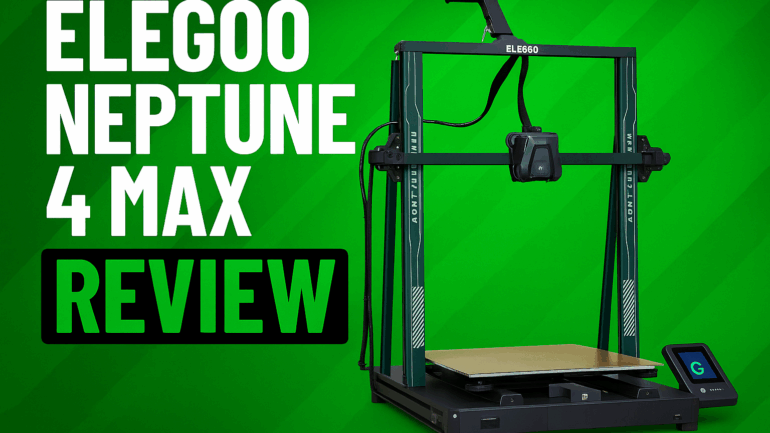
| Elegoo Neptune 4 Max | 420×420×480 | 500 mm/s | Co Print |
Klipper | Yes |
~$429 at us.elegoo.com |
| Anycubic Kobra 3 Max | 420×420×500 | 500 mm/s | ABC System |
Anycubic | Fail |
~$449 at store.anycubic.com |
| Creality CR-M4 | 450×450×470 | 250 mm/s | None |
Creality |  Varies Varies |
~$499 at creality.com |
| Flsun V400 | 300×410 (Δ) | 600 mm/s | None |
Klipper | Yes |
~$499 at us.flsun3d.com |
6 | Pros & Cons
Strengths |
Weaknesses |
| Large build volume (500 mm Z) | Sensor easily bricked by firmware update |
| Fast short prints (under 10 hours) | Poor reliability with multi-day prints |
| Looks clean out of box | No heatbreak access, no board documentation |
| Low cost per volume | No modularity, weak long-term durability |
 Our Recommendation
The Anycubic Kobra 3 Max is a fun machine—when it works. But when it doesn’t, users face weeks of downtime, poor support, and inaccessible replacement parts. For casual users with time to tinker, it may offer value. For anyone depending on uptime or reliability, we do not recommend this printer in its current state.
Fortunately, most issues (sensor faults, Z-banding compensation, firmware bugs) are correctable with firmware patches and minor revisions. There are signs Anycubic is already working on these. Until then, our advice is simple:
Wait for Anycubic to work out the bugs before buying.